

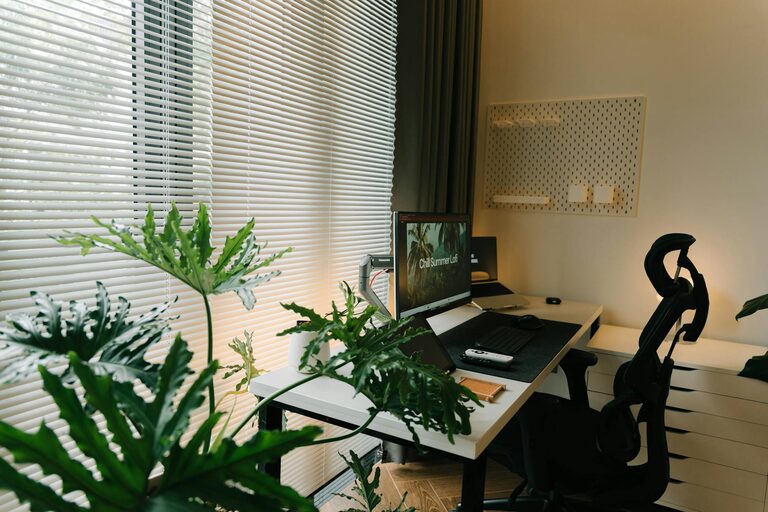
Creating a productive home office space is essential for anyone working remotely or managing tasks from home. A well-designed workspace not only enhances your focus but also helps maintain a healthy work-life balance. In this post, we’ll explore practical tips to help you set up a home office that supports productivity, comfort, and creativity.
Choosing the Right Location
Finding the perfect spot for your home office is the first step toward creating a productive environment.
– Quiet and Private: Select a room or corner where interruptions are minimal. This helps you concentrate and separate work from home life.
– Natural Light: Position your desk near a window if possible. Natural light improves mood and reduces eye strain.
– Space Consideration: Ensure there is enough space for your desk, chair, and any equipment you need. Feeling cramped can negatively affect productivity.
Investing in Ergonomic Furniture
Comfort is key to working efficiently throughout the day.
– Ergonomic Chair: Choose a comfortable chair with good lumbar support to avoid back pain.
– Adjustable Desk: Consider a desk height that suits your posture. Sit-stand desks offer flexibility and promote movement.
– Monitor Placement: Position your computer screen at eye level to reduce neck and eye strain.
Organizing Your Workspace
A clutter-free workspace promotes clear thinking and efficiency.
– Declutter Regularly: Remove unnecessary items from your desk. Use storage boxes or drawers to keep essentials organized.
– Use Shelving and Storage Solutions: Wall shelves or filing cabinets can help keep documents and supplies neatly arranged.
– Cable Management: Use cable organizers or clips to keep cords tidy and prevent tangling.
Optimizing Lighting
Good lighting reduces fatigue and improves alertness.
– Combine Natural and Artificial Light: Use task lighting like desk lamps along with ambient room lighting.
– Avoid Glare: Position lights and computer screens to prevent glare, which can cause discomfort over time.
– Consider Adjustable Lighting: Having control over brightness helps adjust to different times of day and tasks.
Personalizing Your Space
Personal touches can make your workspace more inviting and motivating.
– Add Plants: Small indoor plants can improve air quality and add a touch of nature.
– Inspirational Decor: Use artwork, quotes, or photos that inspire you.
– Comfort Items: Include a cozy blanket or cushion for additional comfort during breaks.
Establishing Boundaries and Routine
Creating mental separation between work and personal life is vital when working from home.
– Set Work Hours: Define clear start and end times to your workday.
– Create Rituals: Develop routines like a morning coffee or a desk warm-up to signal the beginning of your work period.
– Use Physical Boundaries: Close the door of your home office or designate the workspace to help “switch off” when finished.
Minimizing Distractions
Keeping distractions at bay helps maintain focus throughout the workday.
– Turn Off Notifications: Silence phone and computer notifications that are non-essential.
– Use Noise-Cancelling Headphones: Great for blocking out household noise.
– Communicate with Household Members: Let others know your work schedule to reduce interruptions.
Incorporating Technology Wisely
Technology can enhance productivity when used appropriately.
– Reliable Internet: Ensure your internet connection is stable for video calls and online tasks.
– Utilize Productivity Tools: Apps for task management, note-taking, or time tracking can be very helpful.
– Maintain Equipment: Regularly update software and keep your devices clean and functioning well.
Maintaining Your Workspace
A productive workspace needs to be maintained over time.
– Daily Clean-Up: Spend a few minutes at the end of the day tidying your desk.
– Regular Reassessments: Periodically review your setup and make changes if something isn’t working.
– Stay Flexible: Your work habits may evolve, so allow your workspace to adapt as needed.
—
By carefully planning your home office layout and routines, you can create a space that supports productivity and comfort. Remember, the best workspace is one that suits your personal needs and helps you focus on what matters most. Happy working from home!